
Step 1: Adding/Managing Faculty & Students
FieldX follows the same general process to invite Site Coordinators, Faculty Supervisors, and Students.
Invitation Process
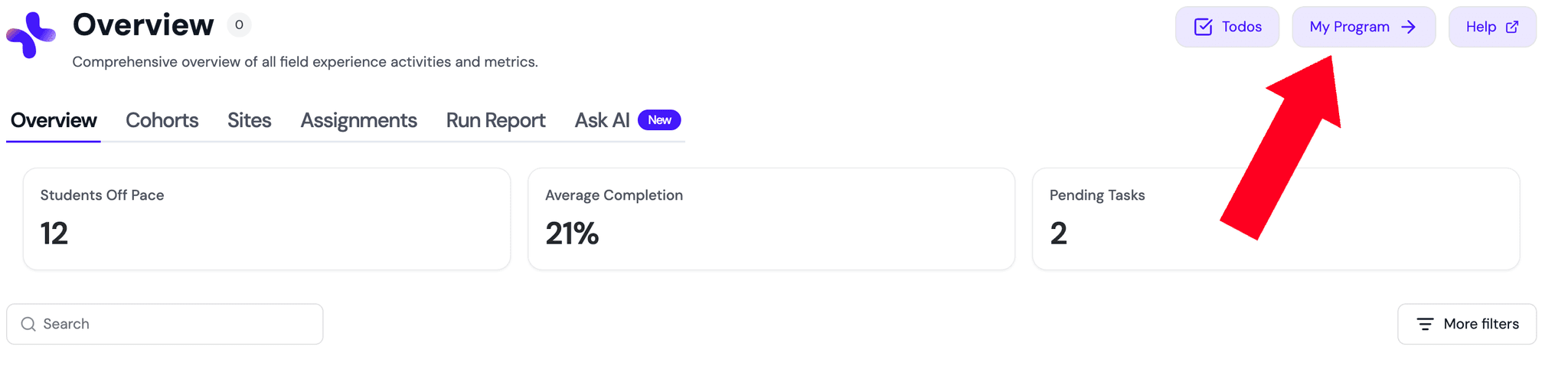
Find the Members tab in the 'My Program' sidebar.
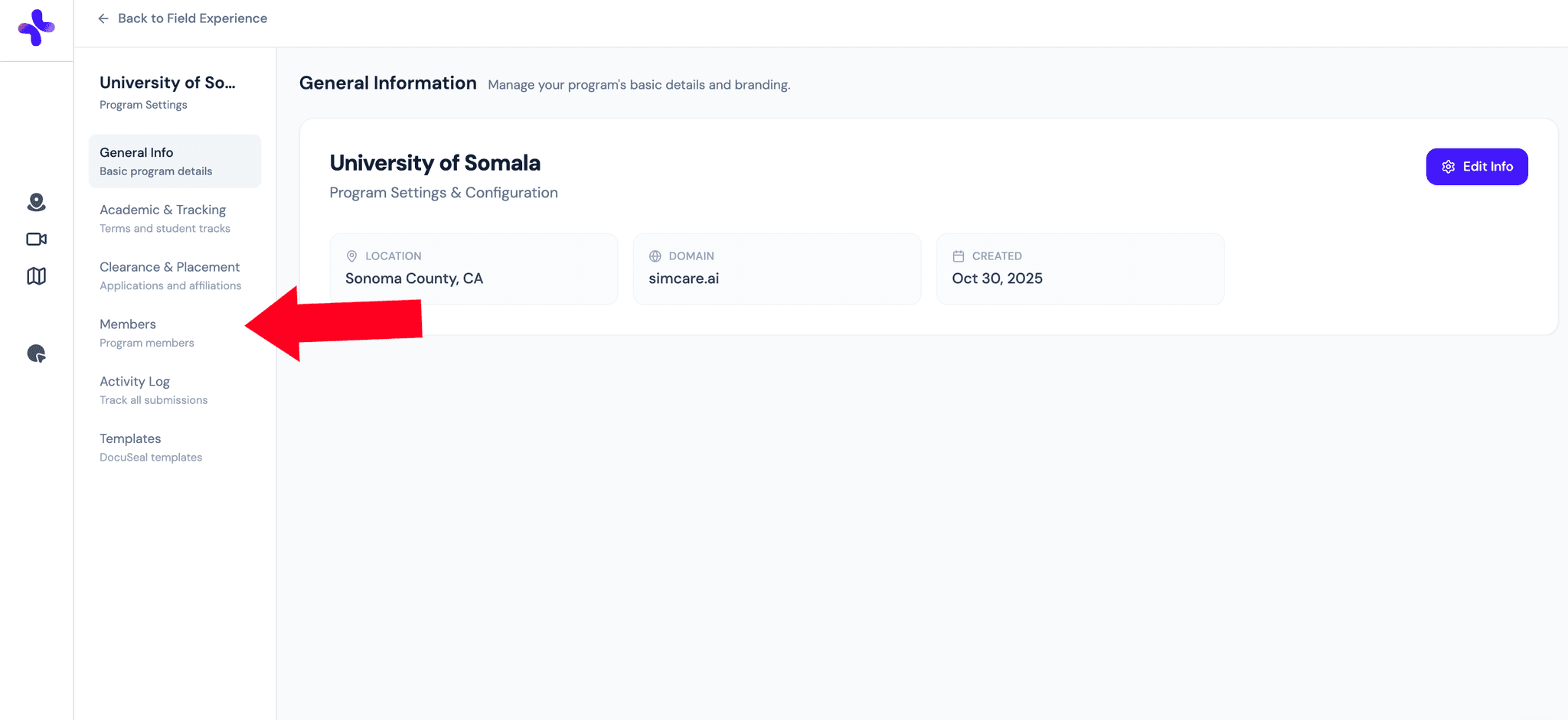
- Select Members (1)
- Here you will see a list of all the students and faculty that are in your FieldX program.
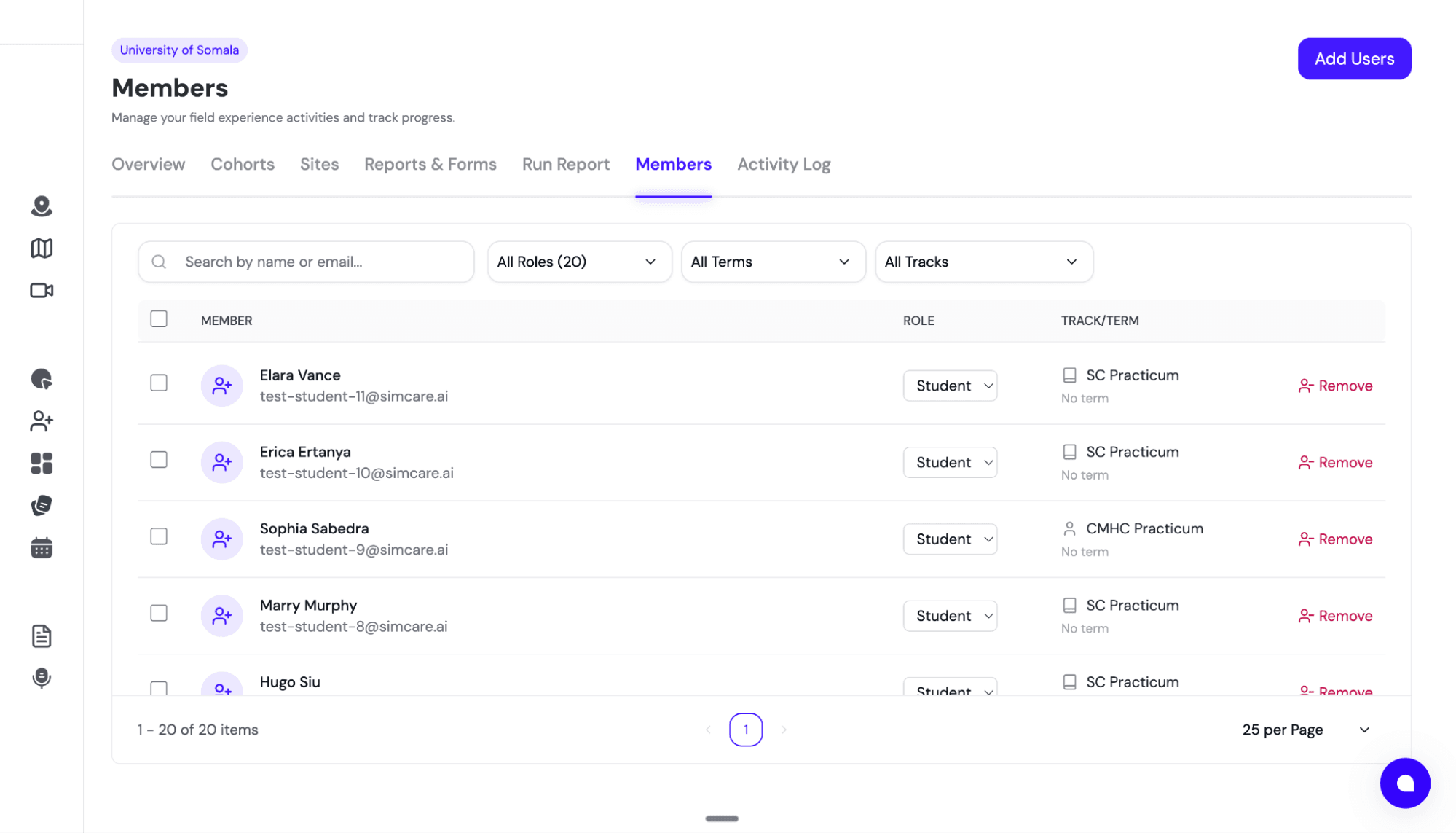
- Select Add Users at the top right of the screen.
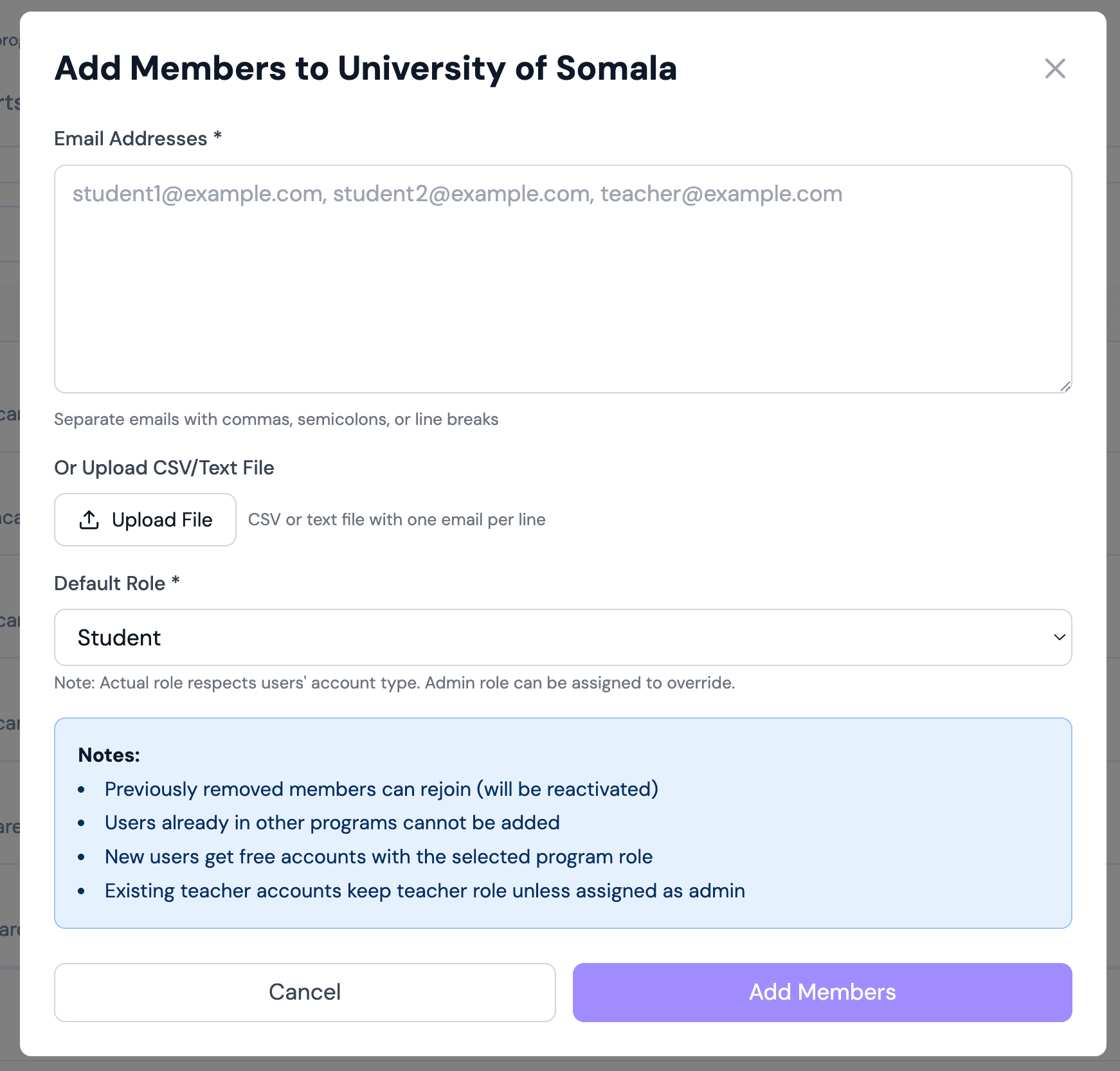
- Select a role and invite users by typing in their emails separated by commas or uploading a csv (The CSV will be parsed by AI so it can be any format).
Recommended Process for New Universities
The following invitation process is recommended for new Universities.
- Invite Clinical Coordinators or Staff.
- Invite Faculty Supervisors.
- Add Established Sites
- Create and invite faculty supervisors to the relevant cohorts
- Invite Students: Students may be sent an invitation that connects them with their Faculty Supervisor and cohort OR they can be given a code they use to join a cohort.
- Manage and assign forms and reports
🏢 Next Step: Set up your field placement sites so students can select them. See Step 2: Managing Established Sites.