
Setting Up Recurring Tasks
You don't need to manually assign the same hour log or evaluation every single week. FieldX allows you to automate this process using Recurring Tasks.
Using the Repeat Toggle
When assigning any Form or Report, you will see a Repeat toggle in the assignment settings. Turning this on allows you to define a schedule.
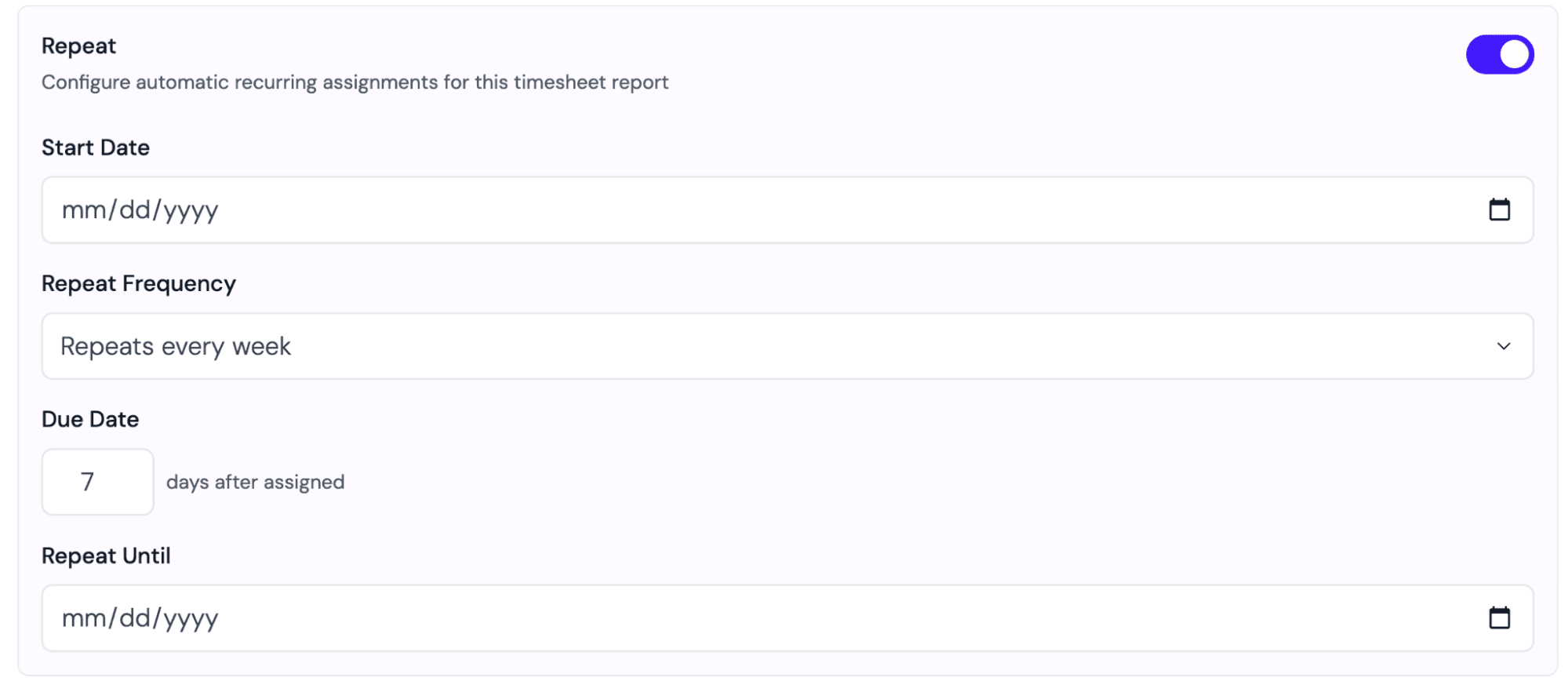
The settings include:
- Start Date:The date the very first task should be assigned to the student.
- Frequency:How often the task should be sent (e.g., Weekly, Bi-Weekly, Monthly).
- Due Date:How many days after the assignment date the student has to complete it (e.g., due 3 days after assignment).
- Repeat Until:The date the automation should stop (usually the end of the semester).
Shortcut: Automated Weekly Reports
If you simply want your students to log their hours every week without configuring a specific report template, there is a faster way!
- 1Navigate to the Cohorts tab.
- 2Click into a specific Cohort.
- 3Go to Settings.
- 4Enable Automated Weekly Reports.
This will automatically assign a standard weekly hour log to every student in that cohort for the duration of the term, so you don't have to worry about managing the schedule yourself.
📝 Related: Learn how to create the forms and templates used in recurring tasks at Building Forms.