Creating Your Account
To start using SimCare, you'll need to create an account.
Step-by-Step Guide

- 1. Go to app.simcare.ai
- 2. Click "Sign Up" at the bottom of the card
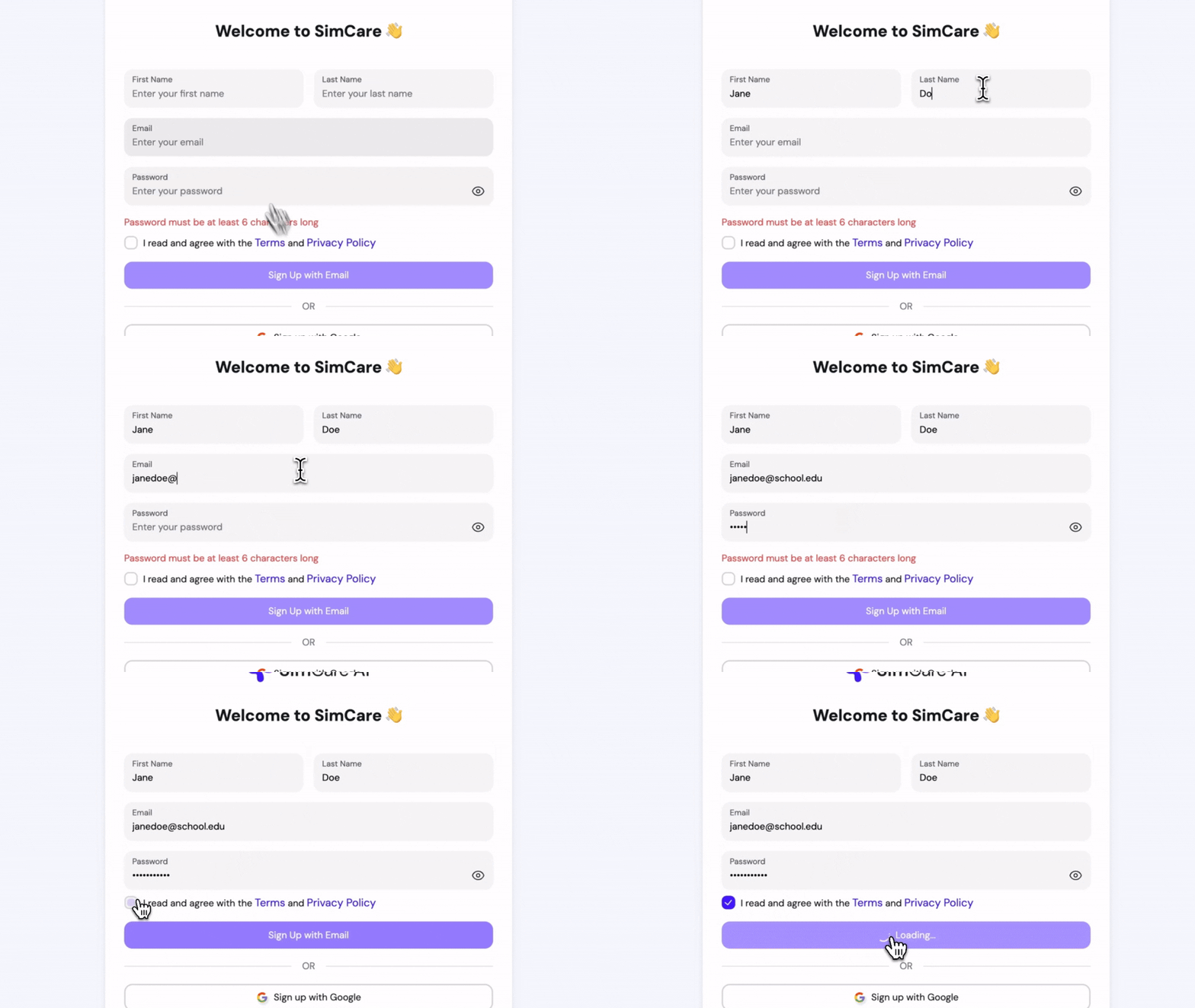
- 3. Fill in the required fields:
- First name
- Last name
- School email
- Password (at least 6 characters)
OR sign up with:
- Microsoft
- 4. Check the box to agree to the terms and conditions
- 5. Click "Sign Up" to complete your registration